Updating the IE Virtual Device with IEM Cloud
Description
Users may experience issues when attempting to update IE Virtual Device connected to the IEM Cloud due to a certificate issue. However, this issue has been resolved in the latest release. We have provided a workaround to ensure a successful update. Please refer to the table below to identify the scenarios where this workaround is required.
| From | To | Affected |
|---|---|---|
| 1.8.0-4-b | 1.11.0-4-a | yes |
| 1.10.0-6-a | 1.11.0-4-a | yes |
| 1.11.0-4-a | 1.12.0-3-a | yes |
| 1.12.0-3-a | 1.16.1-1-a | no |
Workaround
-
Step 1
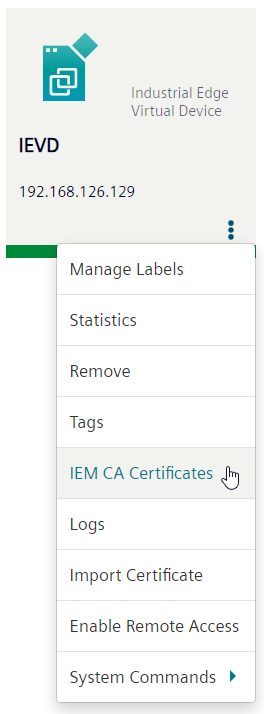
Download the "IEM CA Certificate" file in the Industrial Edge Management UI. It can be obtained in the Device Menu clicking on the three dots of the target device. The button is shown in the image.
-
Step 2
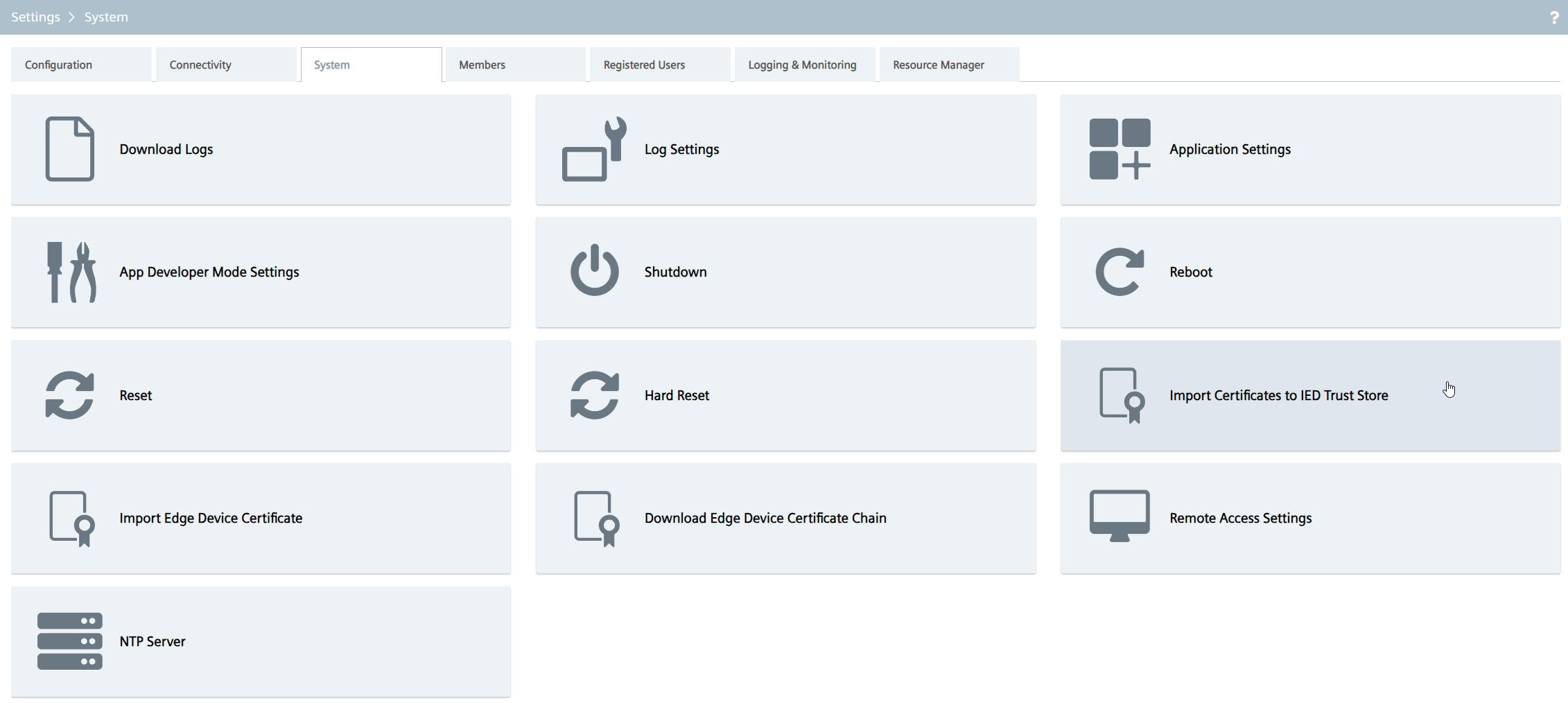
Import file to Industrial Edge Device. Therefore navigate to the System tab in the Settings menu. Then use the button "Import Certificates to IED Truststore" as shown below.