App Projects - Overview
To use your self developed apps in the IEM, you can publish your apps to projects in the App Projects menu item.
In the App Projects screen, you get an overview about all created projects inclusive all assigned apps to each project, and an overview about shared apps.
The layout of the App Projects screen varies depending on whether or not you have already created a project.
If you have created no projects yet, only the Authorized Apps folder is displayed as follows:
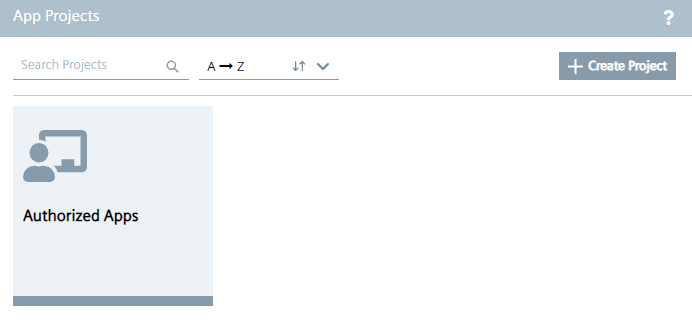
The Authorized Apps folder, which is created by default, contains apps that have been shared with you.
Once you have created minimum 1 project, the screen is displayed as follows for example:
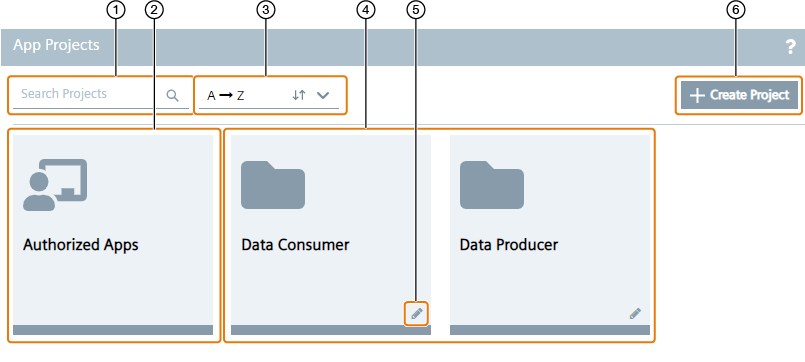
| ① | Search for projects |
| ② | `Authorized Apps` folder with shared apps inside |
| ③ | Sort the projects |
| ④ | Created projects |
| ⑤ | Edit project |
| ⑥ | Create new project |
Projects are presented via folders. When you select a folder, you can check the created apps in this project. You can also create new apps inside the projects.
Note Publishing app versions from the IE App Publisher If you want to publish an app version from the IE App Publisher to a project, first you must create the project in the IEM. After you have created the project in the IEM, you can publish the created app version from the IE App Publisher to the IEM.