Catalogue - Overview
The catalog provides all Edge Apps that you have manually imported or that you have copied from the Industrial Edge Hub to your IEM. From the catalog, you install these Edge Apps onto your Edge Devices.
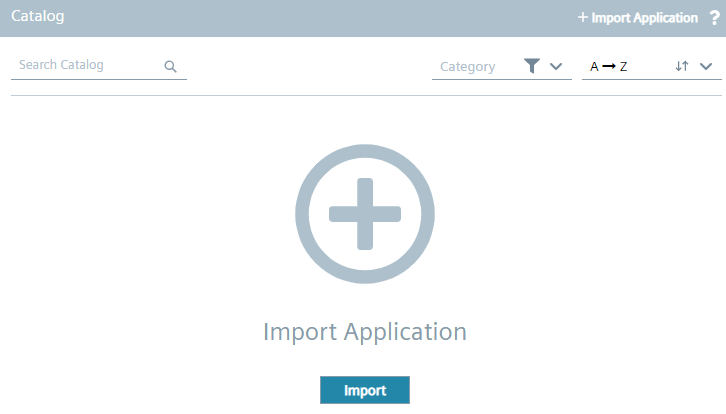
If there are no apps imported or copied yet, the Catalog screen is displayed as follows:
Once you have imported or copied an app to the catalog, the Catalog screen is displayed as follows for example:
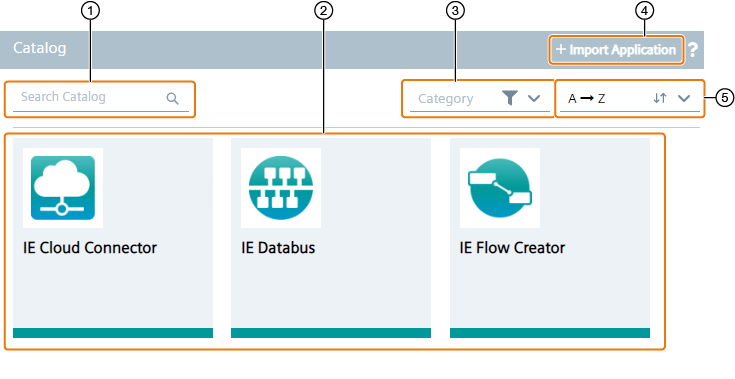
| ① | Search the catalog for a keyword and press |
| ② | Available Edge Apps |
| ③ | Display only a specific category |
| ④ | Import an Edge App to the catalog |
| ⑤ | Sort the available Edge Apps by the intended sorting order |
App details
To open app details, click the tile of the app. The following figure shows an example of app details:
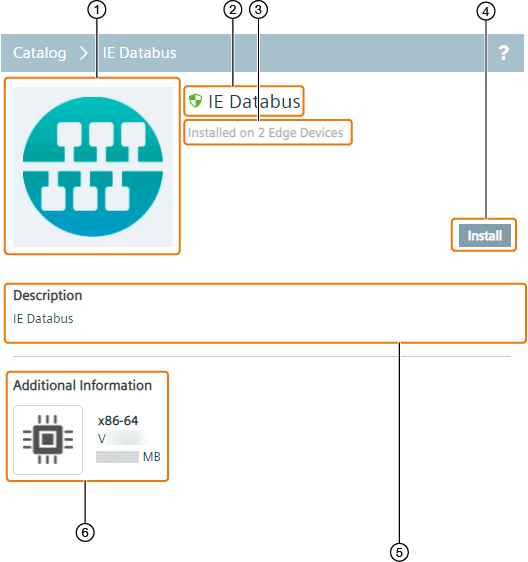
| ① | Edge App icon |
| ② | Name of the Edge App |
| ③ | Number of Edge Devices on which the app is already installed |
| ④ | Install the app onto your Edge Devices |
| ⑤ | Description of the Edge App |
| ⑥ | Additional Information
Following information are provided:
|