Known Issues
In the current version of the Flow Creator application, the known issues are as follows:
| Issues | Troubleshooting |
|---|---|
| Error messages in debug panel | Flow Creator nodes often print error messages in the "debug" panel even after the configuration nodes are deleted from the flow. To delete the nodes properly: 1. Delete the nodes from the flow. 2. Deploy the flow. 3. Go to "Global configuration nodes" in the sidebar. 4. Double-click the required node and click "Delete". 5. Deploy the flow. |
| SSH key functionality | The SSH key functionality under Git configuration and committer details for a project works in open network. |
| S7comm node support for S71500 PLC S7comm node does not support reading char and string from an S7-1500 PLC. |
|
| Login issue observed with custom self-signed certificates Please note that login to Flow creator can fail with the custom self-signed certificates. In the logs it would display as shown below: x509: cannot validate certificate for XXX.XXX.XXX.XXX because it doesn't contain any IP SANs\n","stream":"stderr","time":"XXXXXXXXXXX" Getting Certificate error, Trying again to generate certificate.\n","stream":"stderr","time":"XXXXXXXXXXXX" |
It is recommended to use certificates that are generated by openssl tool. For more information, please refer Prerequisite to the IEM manual and contact your local support for assistance. |
| Using the Flow Creator Configurator when user deploys a flow to the Flow Creator installed in devices, all the old flows will be replaced with new flow. | Ensure to take the backup of all the old flows existing in the devices before uploading the new flow using the Flow Creator Configurator. |
If user configures email node with UserID and password and deploy, following error message is displayed.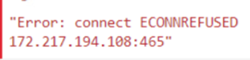 |
User needs to add the port 465 in IED proxy settings for both http and https. |
This is an known issue from IED, when there are Edge devices with one or more network interface cards and two IP addresses, if there is any issues logging in or reconnecting, you will be redirected to the below-displayed page with possible reasons listed.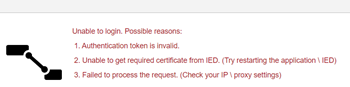 |
|
This is an known issue from IED, loading failed for Flow Creator runtime application, while trying to reload the page or clicking the application from the IED.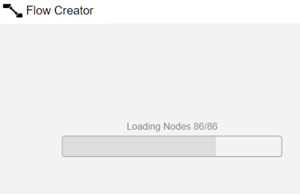 |
Try to reload the browser of application |
This is an known issue from IED, “Connection to Server lost”, error after Flow Creator application restart.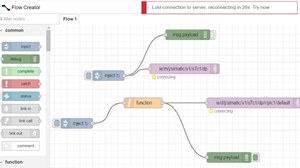 |
Try to restart the Flow Creator application. |
| When you update to the latest version of configurator or uninstall and install the application, all the configurator related data is lost. The configurator does not support import, export or backup restore functionalities. But the data of the runtime application is not affected. | |
Flow Creator can provide 503 error, when there is a misconfiguration on your node.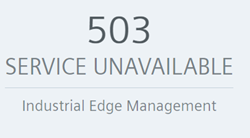 |
1. Please verify the node configuration 2. For more details on error handling with node red, please refer https://nodered.org/docs/user-guide/handling-errors. |
| This is a known issue from Arm IED. The Dashboard UI throws 503 error for Flow Creator(arm64) |
This is a known issue from Arm IED. The Dashboard UI throws 503 error for Flow Creator(arm64)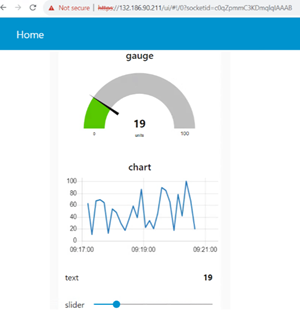 |
The Flow Creator(arm64) UI experiences delays in loading and displays a blank page. |
Wait until the UI is fully loaded; this process may take up to a minute. |
Unable to install or update nodes from the Palette Manager Menu of runtime app UI when a proxy is set in the IED.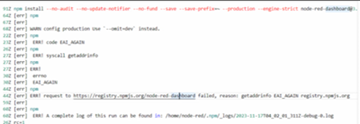 |
The connectivity with internet when the proxy server is used cannot work due to multiple factors:- Firewall is blocking the npm registry- Firewall is blocking the ports- Firewall is blocking the network configurations A possible work around:-Restart the IED- Set the default gateway for the network interface and with proxy settings |
A delay of a few minutes is observed after clicking the "Deploy" button until the deployment is completed using the Flow Creator or Flow Creator(arm64) UI.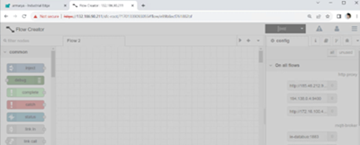 |
Wait for a few minutes until the deployment is completed.Its a known issue with IED OS. |
Built-in OPCUA node installation fails using the Flow Creator Configurator. Applicable for Flow Creator(arm64)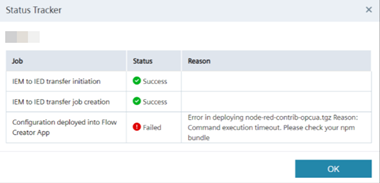 |
Use the upload .tgz feature of the Flow Creator Configurator instead to install the node, or use the palette manager of the Flow Creator runtime application for the same.Its a known issue with IED OS. |
| For S7Comm node, if data type is of S7-String the quantity needs to be defined by user in the flow and the quantity should not be 1. If the quantity is 1 then the node red crashes. For more details on issue refer https://nodered.org/docs/user-guide/handling-errors#uncaughtexception-errors | A ticket is raised with the S7Comm team to address it. https://github.com/Hilscher/node-red-contrib-s7comm/issues/16 |
When you create a SSH key without providing any passphrase and use the projects feature to pull/push to GitHub, and then after the restart of Flow Creator and attempt to push project data to GitHub, it will prompt for SSH authentication with a passphrase. However, the previously used SSH key will not be functional. This a known issue with Node-red https://github.com/node-red/node-red/issues/4618.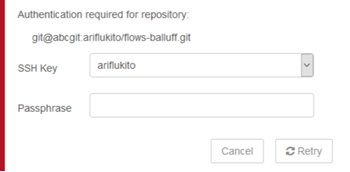 |
User must create a new ssh key with name and passphrase and map it to GitHub. |
| Unable to install node-red-contrib-zeromq on Flow Creator Palette- this is a known issue with IED | |
The Flow Creator Configurator is not compatible with the IEM Cloud offering. This issue is specific to the Configurator application and does not affect the management application.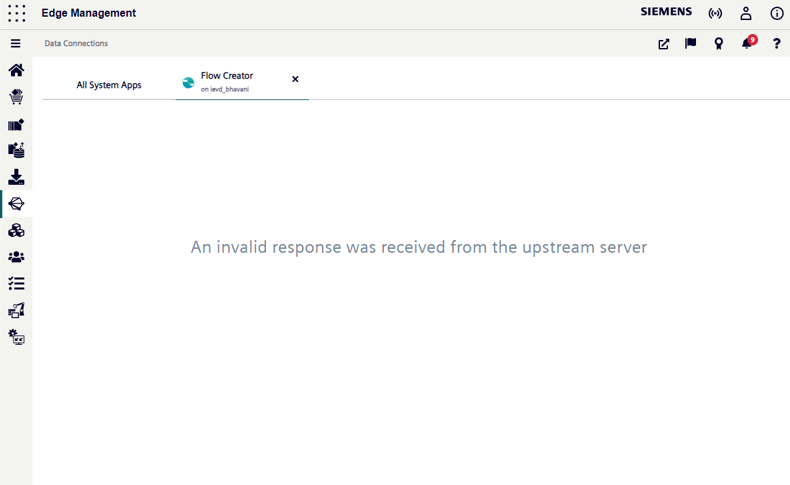 |
The application is supported in other variants such as IEM-OS, IEM Pro (including k8s, k3s, Openshift), and IEMV. Alternatively, consider installing the Management application. For more details refer Working with Flow Creator Configurator |
 "Failed to process the request": check your proxy settings
Error scenarios with node installations
| Issues | Troubleshooting |
|---|---|
| "Module already loaded": If the node is already present in manage palette in Flow Creator. | Ensure to check the node is not already present in manage palette in Flow Creator. |
| "Install failed": If there is an issue with installing the nodes. Following are possible reasons for installation failure:
|
Make sure dependencies are latest and bundled properly. For more details on "How to prepare node file" refer How to prepare node file. Also check if your node is compatible with supported node.js version |
"Module not found": If the uploaded file is not packaged as a npm bundle properly.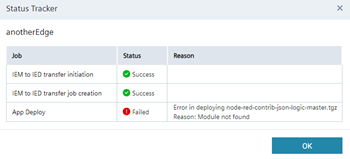 |
Ensure to create and bundle the npm in a correct format. For more details on "How to prepare node file" refer How to prepare node file. |
| "Wrong username or password": When user enters an incorrect username or password. | Ensure to enter the correct user username and password of IED admin |
| "Command execution timeout": When the installation exceeds 3 minutes, the execution stops and returns timeout error. | Ensure to check your npm bundle, re-upload and deploy again. Also try to restart your app if you get this error. |