Home page
After you log in, the home page of the Management UI is displayed. The following figure shows the home page:
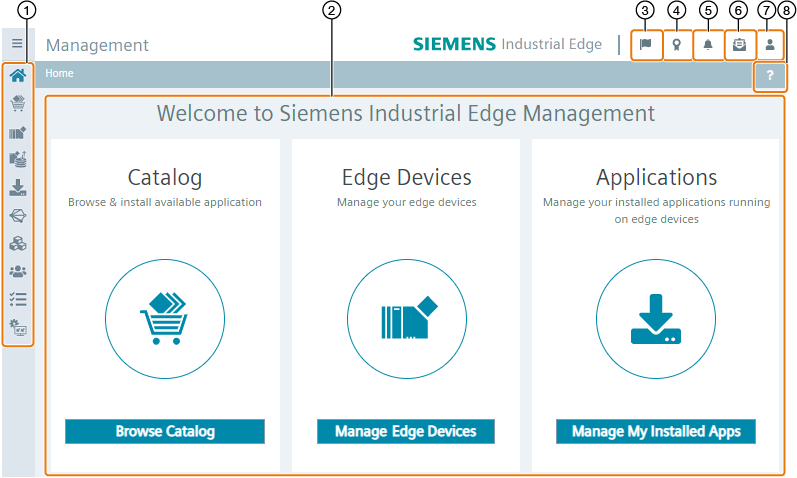
| ① | Navigation menu |
| ② | Main screen |
| ③ | Open job status of imported apps |
| ④ | Download IEM and IED root and intermediate certificates |
| ⑤ | Open "Alerts" screen |
| ⑥ | Accept invitations |
| ⑦ | Logged user |
| ⑧ | User interface explanation |
By clicking the button within the tiles, you navigate to the according menu item.
To navigate within the Management UI, use the navigation menu on the left.