Launchpad is not loading Tiles
User is not assigned properly: role missing
-
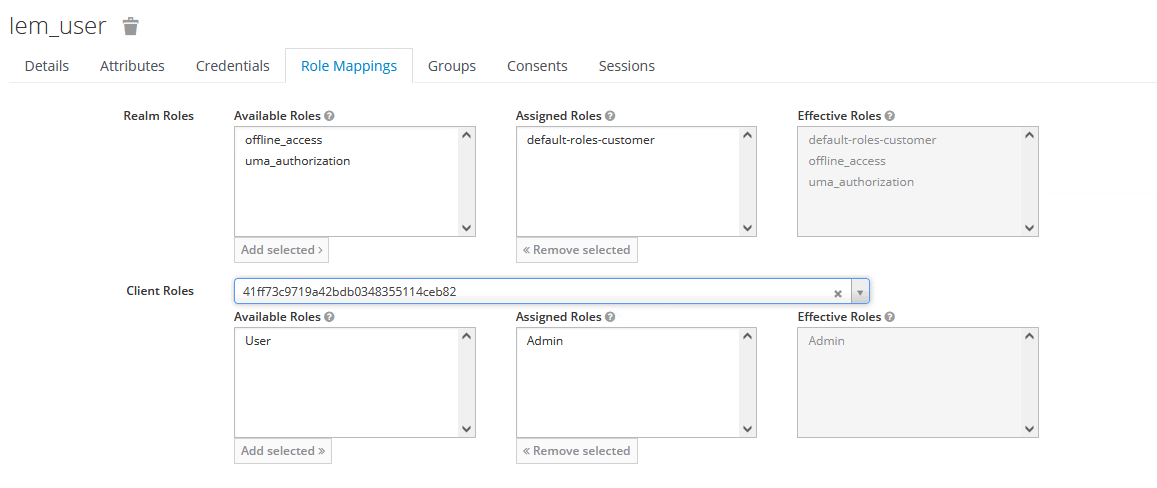
Use Keycloak to assign client role (41ff73c9719a42bdb0348355114ceb82) to the user.
-
Verify that the logged user has appropriate roles (
iem_useroradmin). -
In Keycloak, navigate to
userssection and clickview all users.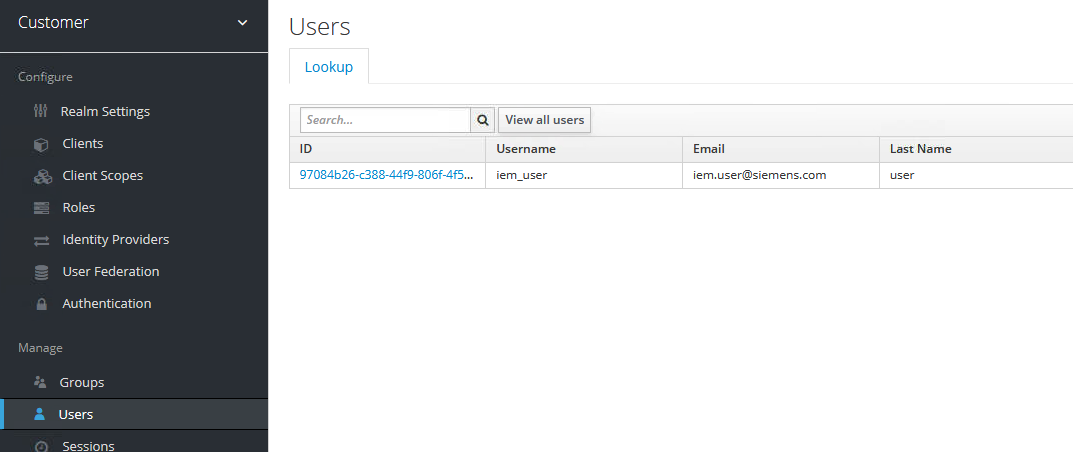
-
Select your user and go to the
Role Mappingstab. -
Select the
41ff73c9719a42bdb0348355114ceb82ID from theClient Rolesdrop-down list. -
Verify that the user or role is assigned and visible within
Effective Roles.