Deploying Industrial Edge Gateway
Industrial Edge provides an API gateway based on Kong OSS. The gateway acts as a single entry point to the system enforcing authentication, performing session cookie checks and providing JSON web tokens for internal API requests. There are several ways to deploy the API gateway in a K8s environment. By default, the gateway is deployed as a ClusterIP service type.
General considerations
-
The API gateway sets a cookie that contains encrypted access tokens and other session information. This cookie can be up to 10 KB in size. Make sure your load balancer and ingress controller are properly configured to support large headers.
-
Users can upload large binaries (.app files) via the web browser. If you are using an external load balancer or custom ingress controller, make sure it supports large body sizes (at least 8000 MB).
-
The load balancing behavior of the gateway can be affected by the DNS server. By default, the gateway will use SRV record responses to loadbalance and forward the traffic to the backend services. Since the tunneling service sets the dynamic service per device, the SRV records might break the tunneling service. To avoid this, change the DNS priorities on the gateway. For example:
--set kong.env.DNS_ORDER="LAST\,A\,CNAME\,SRV" -
If a load balancer, reverse proxy, or ingress controller is installed in front of the gateway, make sure that these components support the websocket protocol. As an example, for NGINX, the following configuration must be added. For example:
proxy_http_version 1.1;
proxy_set_header Upgrade $http_upgrade;
proxy_set_header Connection "Upgrade";
proxy_set_header Host $host;
Enabling HostNetwork Mode
The gateway uses host system ports and is directly accessible using the node's IP address. The gateway can be installed as a daemon set instead of a deployment. In this case, you can access the gateway from any node. Load balancing of client sites can be achieved by adding all IP addresses to the DNS record.
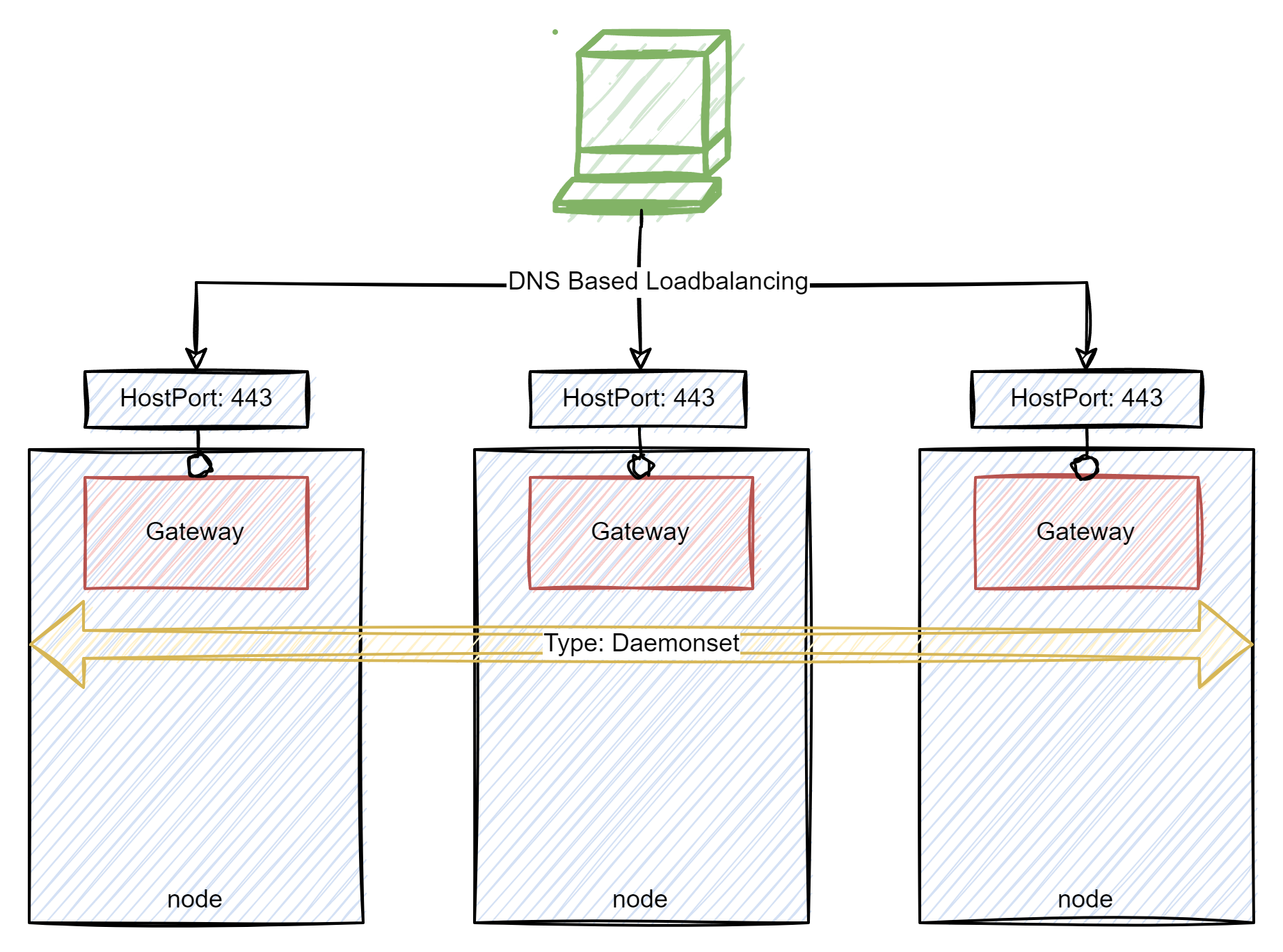
Use the following ieprovisiong cli flags to enable the HostNetwork mode:
--set kong.deployment.hostNetwork=true \
--set kong.dnsPolicy=ClusterFirstWithHostNet \
--set kong.containerSecurityContext.capabilities.add={NET_BIND_SERVICE}  \
--set kong.containerSecurityContext.runAsGroup=0  \
--set kong.containerSecurityContext.runAsNonRoot=false \
--set kong.containerSecurityContext.runAsUser=0  \
--set kong.deployment.daemonset=true \
--set kong.proxy.tls.hostPort=443 \
--set kong.proxy.tls.containerPort=443
Note The
hostandcontainerports must be the same.Note If you have selected a port other than port 443, or if your installation is running behind a load balancer or reverse proxy, make sure that the host and port information is passed correctly. Otherwise the redirect URL will not be calculated correctly. Example for nginx controller:
proxy_busy_buffers_size 512k;
    proxy_buffers 4 512k;
    proxy_buffer_size 254k;

    location / {
           # alternative proxy_set_header Host <real-ip>:<real-port>;
           proxy_set_header    X-Forwarded-Host   <real-ip>:<real-port>;
           proxy_set_header    X-Forwarded-Proto  $scheme;
        proxy_pass http://<backend-ip>;
    }
Deploying with Ingress Controller
The gateway is deployed as a ClusterIP service type. In addition, an ingress rule is created that points to the gateway.
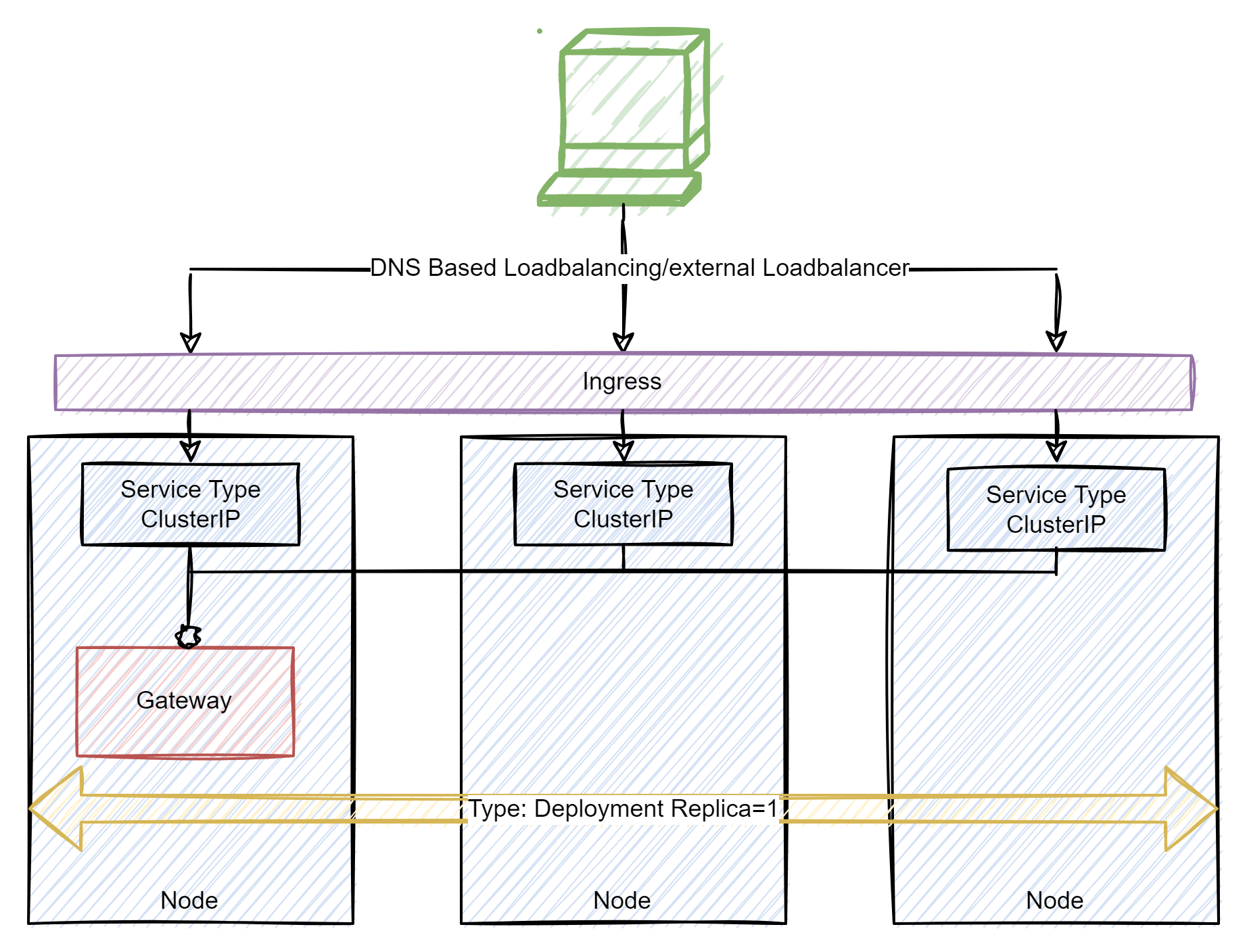
Use the following flags to deploy the gateway via an NGINX Ingress Controller for example while using Minikube:
--set global.gateway.ingress.enabled=true
In case a different Ingress is used, the Ingress Class can be modified (default value: nginx):
--set global.gateway.ingress.class=<name>
Ingress Configuration
It is also possible to configure the Ingress separately. To do this, set the following parameter to false (for example if there exists already an Ingress Controller):
--set global.gateway.ingress.enabled=false
apiVersion: traefik.containo.us/v1alpha1
kind: IngressRouteTCP
metadata:
name: iemtcp
namespace: <namespace>
spec:
entryPoints:
- web
- websecure
routes:
- match: HostSNI(`<Hostname>`)
    services:
    - name: <id>-gateway-proxy
    port: 443
tls:
    secretName: <secretname>
    passthrough: true
Deploying via LoadBalancer
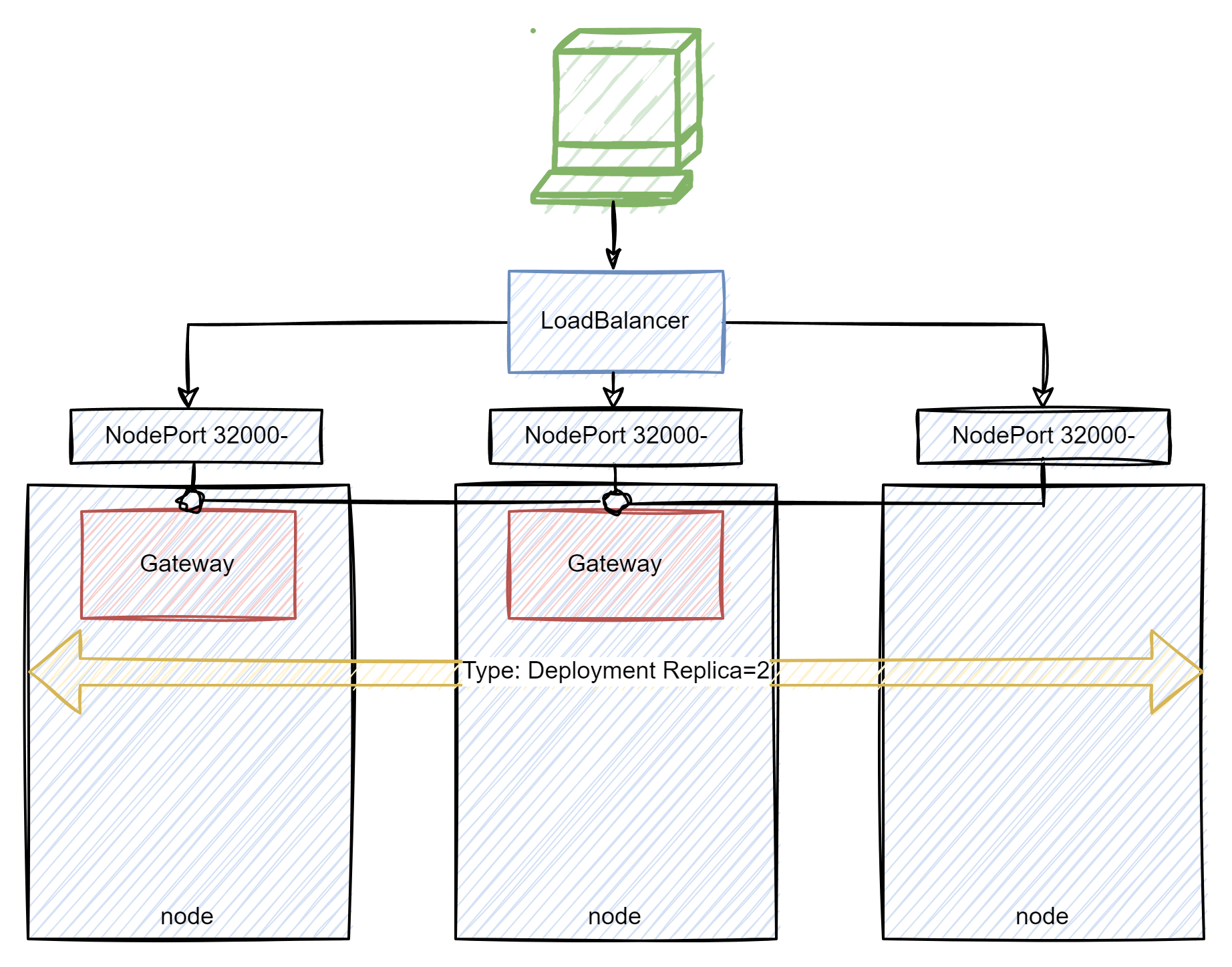
Use the following flags to deploy the gateway via a loadbalancer:
--set kong.proxy.type=LoadBalancer