Statistics
In the Statistics screen of the Maintenance UI, you get an overview about the system properties of the IEM OS.
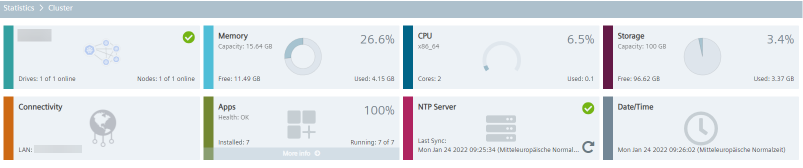
The NTP Server tile displays the status of the NTP server.
The NTP server status is monitored by default every hour.
You can edit the time interval under Settings > Configuration > NTP Health Status Timers.
Any changes of the NTP server status will be displayed in the Recent Events screen.
By clicking the
 icon within the
 NTP Server tile, NTP services are getting restarted. Restarting NTP services may result in a time jump.