Library
The Library screen lists all apps for which you purchased a license and which you can transfer to your IEM instances.
System Apps are included in the purchase of the Industrial Edge Management, so you do not have to purchase a license for System Apps. You can directly copy the System Apps to the catalog of an IEM instance.
The following figure shows an example of the Library screen:
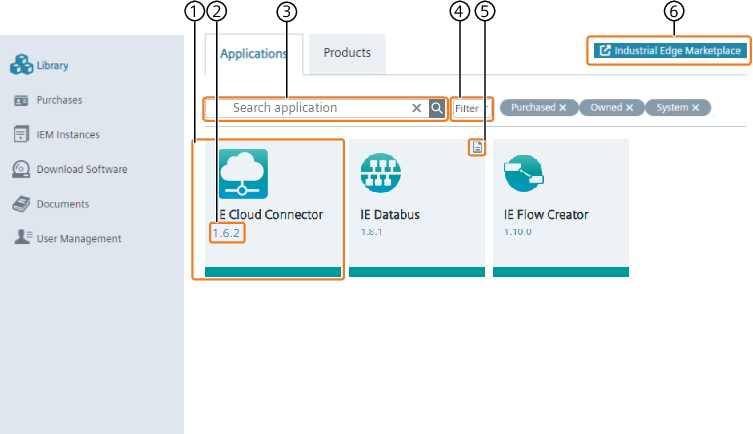
| ① | Licensed app |
| ② | App version |
| ③ | Search for an app |
| ④ | Filter apps |
| ⑤ | Open app documentation |
| ⑥ | Open Industrial Edge Marketplace |
To purchase apps and app licenses, visit the Industrial Edge Marketplace.
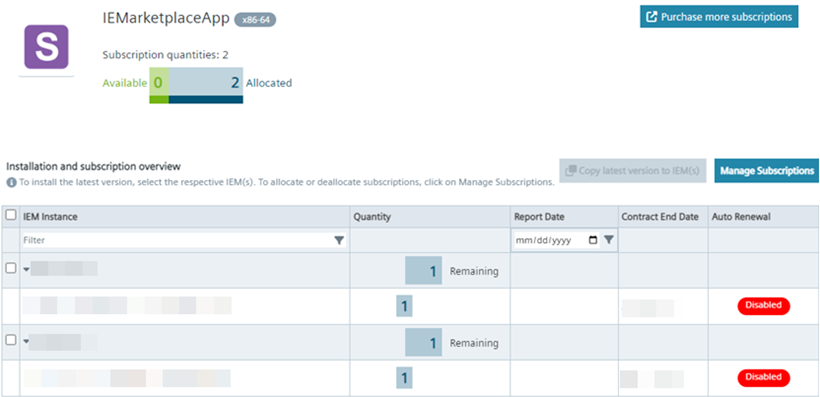
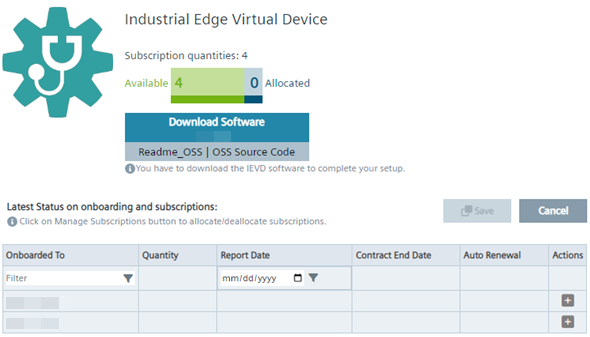
By clicking an app tile, you can check the license details of the respective app, for example:
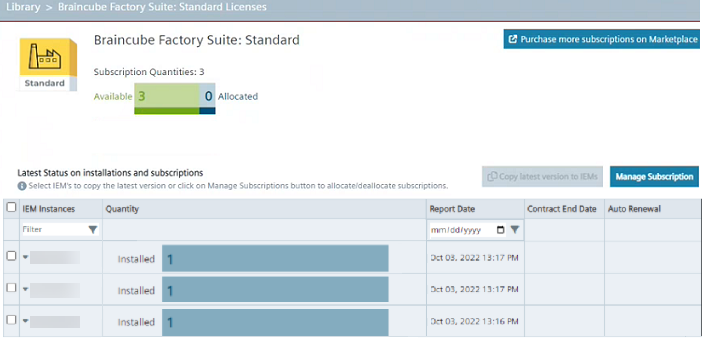
- Subscription Quantities: Total Number of quantities purchased from Industrial Edge Marketplace
- Available: Quantities which are not allocated yet
- Allocated: Quantities which are allocated to an IEM
With the
 -button you can allocate the subscriptions in the new window.
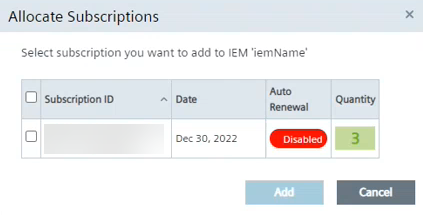
Select the Subscription ID and click add to allocate the ID to the IEM instance.
You find more information on creating and sending a license report from the IEM to the IE Hub in the Admin UI > Licenses subsection in the Industrial Edge Management - Operation manual.
Note If an IEM instance is deleted from the IE Hub, reports that belong to the deleted IEM instance will be deleted too.
Subscription Management exceeded warnings
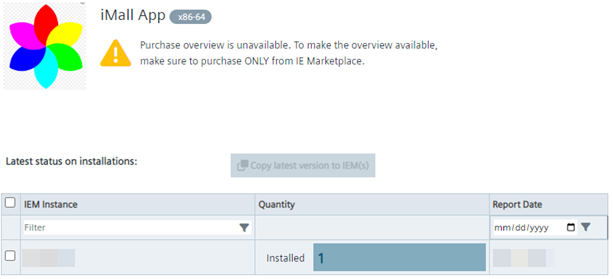
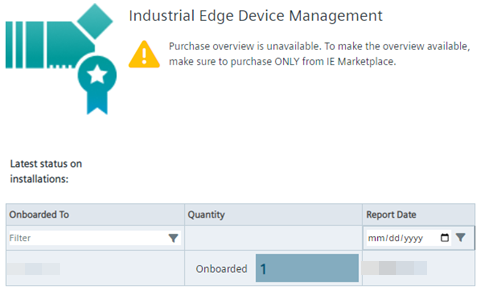
Since Industry Mall licenses are not being monitored, there will be 3 different cases, depending on how you have purchased your license.
Industry Mall only
If the active purchases are from Industry Mall only, no exceeded warnings will be displayed, since Industry Mall does not get monitored.
Organizations which have purchased licenses from both places are responsible to monitor their usage on their own. The purchase menu
Applications and products will be shown as followed.
Industry Mall and IE Marketplace
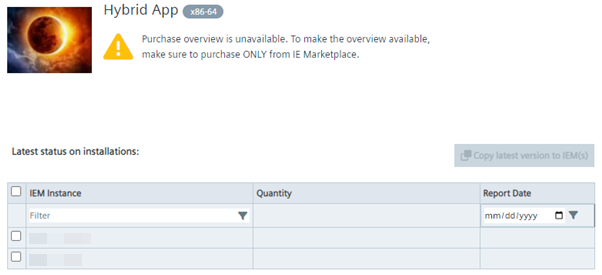
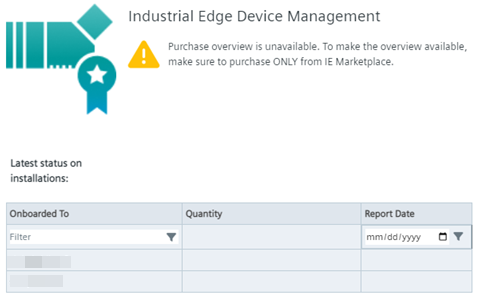
If purchases were made from both, Industry Mall and IE Marketplace, 3 different cases are possible.
Organizations which have purchased licenses from both places are responsible to monitor their usage on their own.
-
If an app/product’s active purchases just from Industry Mall, it will be shown as in Industry Mall only.
-
If an app/product’s active purchases are both from Industry Mall and Industrial Edge Marketplace, it will be shown as followed.
-
If an app/product’s active purchases are just from Industrial Edge Marketplace, it will be shown as followed.
IE Marketplace only
If active purchases are just from Industrial Edge Marketplace, exceeded warnings will be displayed in every section, when more licenses are used then purchased.
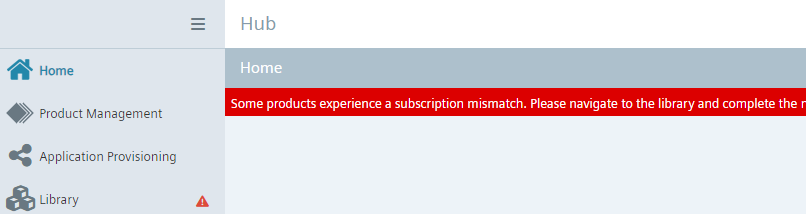
In the library section, the
 icon highlights the app/product which experiences a subscription mismatch.
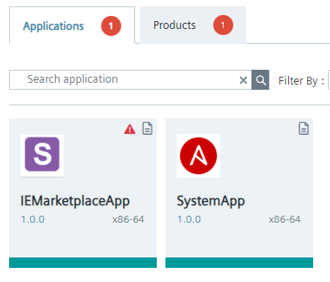
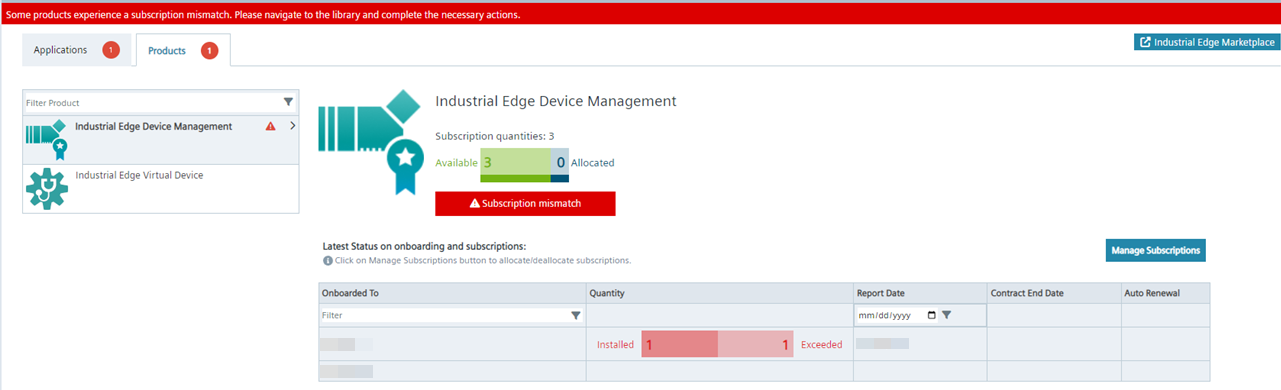
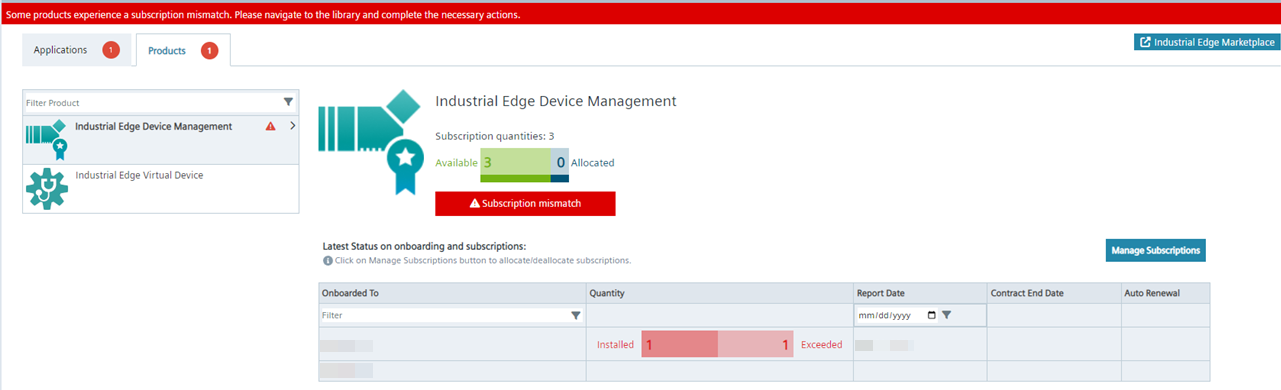
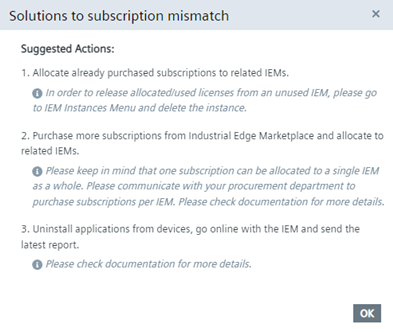
Solutions to resolve the conflict can be displayed by clicking on the "Subscription mismatch" button.
Resource Needs of an Application
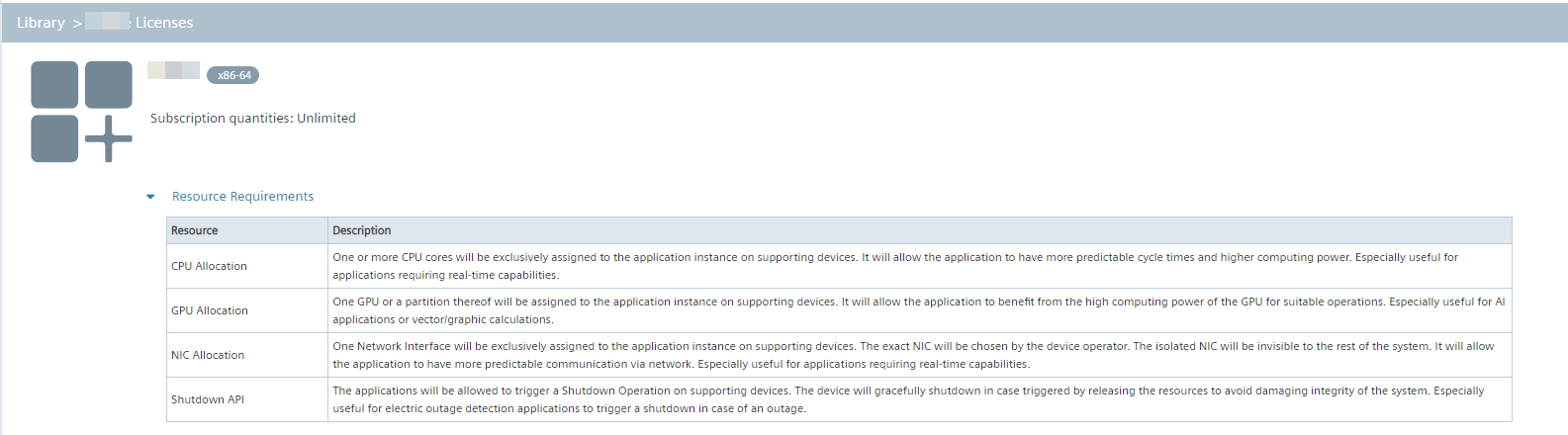
If resource requirements such as CPU, GPU, NIC and Shutdown are configured for the application, it will be visible in the details page of the application as shown below.