Roles in Keycloak
It is possible to grant users access to the IEM and "User groups" / "Admin groups" via roles in Keycloak.
Mapping Users to Group Roles and Default Roles
Add default group to users
You can also create a new group with the same Role Mappings.
To do this, navigate to Groups and create a new group.
First you need to give the group a name.
After that, you can also set Role Mappings for this group.
Click on the group name in the group list. Switch to the Role mapping tab and click on Assign role.
Switch the filter to Filter by clients and select from that list the roles you want to assign. The roles for the IEMA have the client id ie-management. After clicking Assign the selected roles will be assigned to the group.
Now you can add this group to the Default Groups.
Go to Realm settings and switch to the User registration tab. Select Default groups and select the group you created from the list. Click on Add.
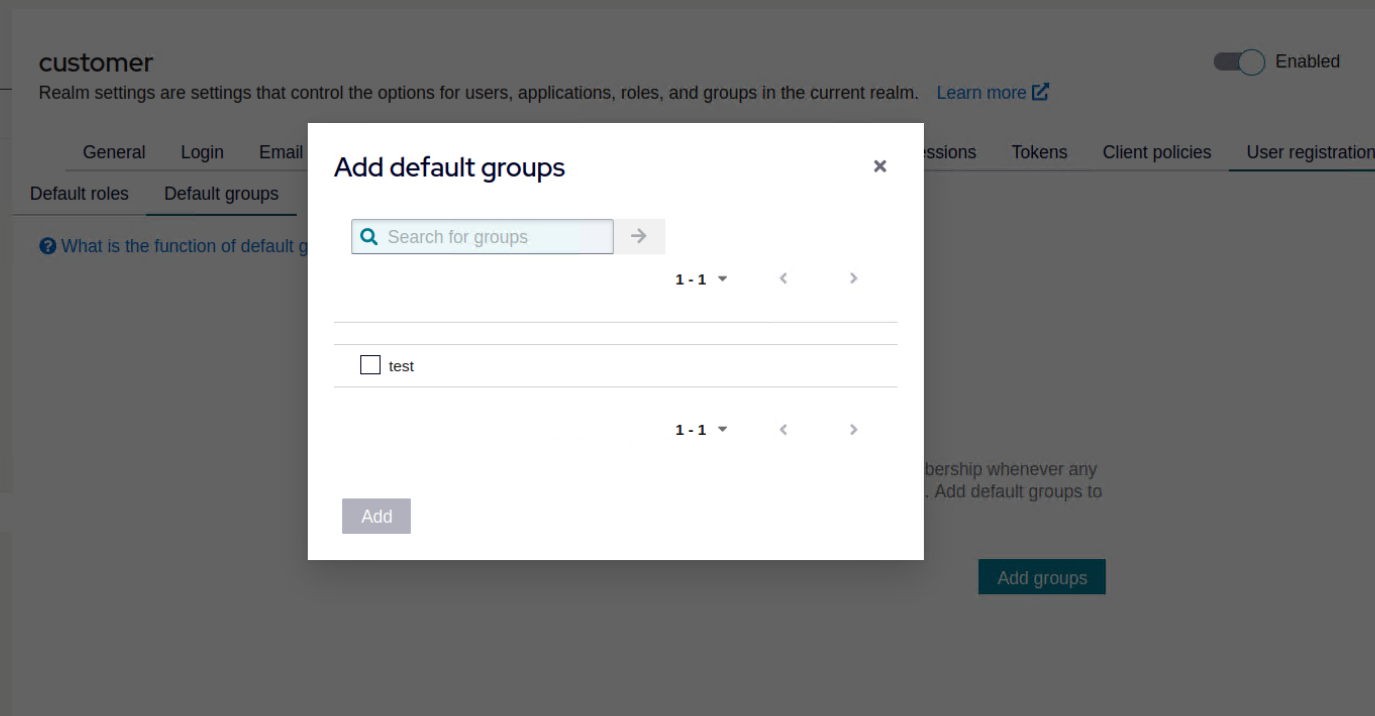
Any new user will be a member of this default group and will have the added roles.
IEM roles and groups
IEM Roles
There are three IEM roles
- Admin
- User
- Device Owner
see Assign role
The role Device Owner should be assigned additionally to a user with either User or Admin role.
Admin
The Admin role gives IAM user access to the Edge Management, Edge management Admin and Applicaion Manager.
User
The User role gives IAM user access to the Edge management.
Give Access to DeviceOwner Role
Description of DeviceOwner Role
The DeviceOwner role is useful for users who need access to all IEDs.
With the DeviceOwner role, the user can access all devices even if they didn't onboard them themselves and the devices are not shared by groups.
The DeviceOwner role allows the user to do anything with the device that the original onboarder of the device can do.
A user with this role can view/modify jobs, install applications, view installed applications and device statistics, and more for all devices.
A user with this role can add/remove all devices to/from all existing My Admin groups. It doesn't matter if the user created these groups or if the user is a member of the group.
Note It only affects the "My Admin" groups in the IEM and not "My User" groups in IEM or "My Admin" groups in IEMA.
Once the DeviceOwner role is removed the user only sees their own devices and groups or the devices that are shared with them.
Note
LimitationsThe public API does not fully support the DeviceOwnerrole.User with the DeviceOwnerrole can't create labels if they haven't activate a device yet.To install apps from App Projectswith theDeviceOwnerrole the app has to be shared with the creator of the device also.
Permissions of DeviceOwner Role
Below table lists permissions available for DeviceOwner role:
| Action | DeviceOwner |
|---|---|
| Device Export | ✓ |
| Device Import | ✓ |
| Device Delete | ✓ |
| Device List | ✓ |
| Device Relocation | ✓ |
| Application Install | ✓ |
| Application Restart | ✓ |
| Application Start | ✓ |
| Application stop | ✓ |
| Application uninstall | ✓ |
| Application Configuration Update | ✓ |
| Application Configuration Delete | ✓ |
| List Installed Application | ✓ |
| Application Details | ✓ |
| Device Manage Labels | ✓ |
| Device Backup | ✓ |
| Device Restore | ✓ |
| Device Reset | ✓ |
| Device Hard Reset | ✓ |
| Device Reboot | ✓ |
| Device Remote Access | ✓ |
| Device Shut Down | ✓ |
| Device Update | ✓ |
| Device Log | ✓ |
| Device Statistics | ✓ |
| Device Discovery | ✓ |
| Device Tag Add | ✓ |
| Device Tag Delete | ✓ |
| Device Tag List | ✓ |
| Groups Add | ✓ |
| Groups Update | ✓ |
| Groups Delete | ✓ |
| Install Job List | ✓ |
| Install Delete | ✓ |
| Install Edit | ✓ |
In addition to the above mentioned IEM roles, additional roles are created in Keycloak corresponding to user groups and admin groups in IEM.
The role name that is generated from the group name : iem.<groupname>.<groupid> (e.g. "iem.myusergroup.fae4601bea73485b8298a48ebdfaa3d9")
Device Owner role limitations
Manage Device Tags
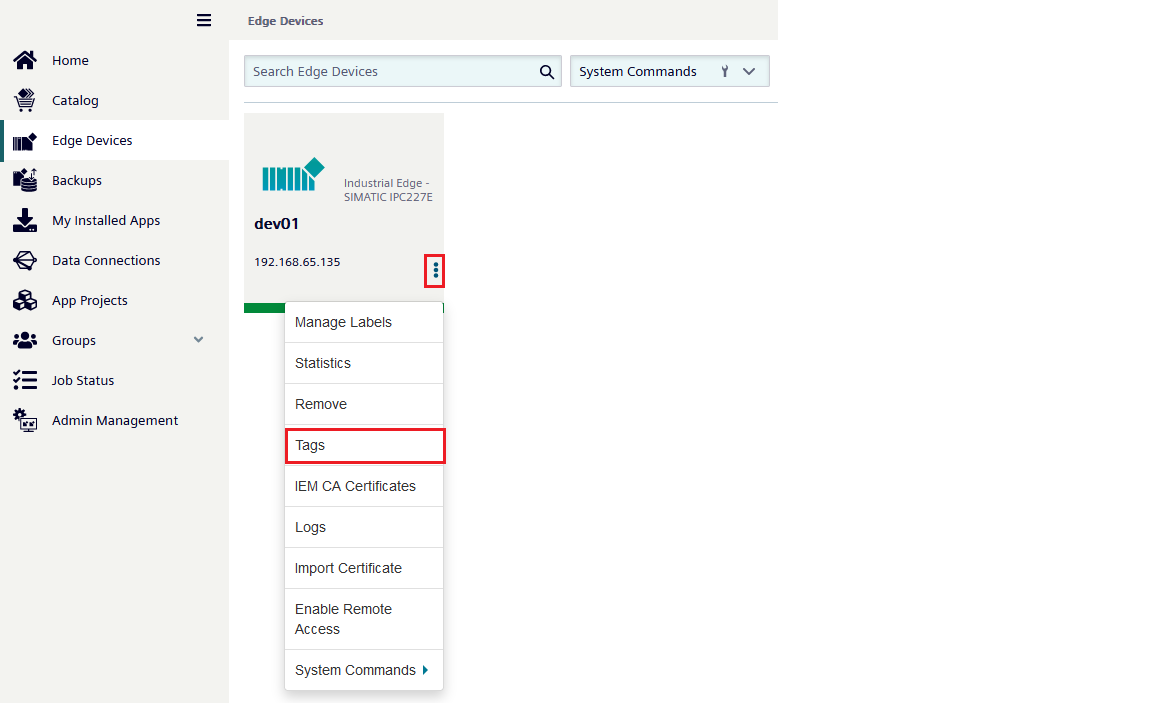
The Device Owner Role has permissions to manage the Device Tags, this includes, creating, removing and updating tags. However the DeviceOwner role can only manage tags by accessing the quick actions menu of the device. Managing tags at the edge device detail page, is not available with the DeviceOwner role.
IEM Groups
See IEM Groups