Adjusting created Security Groups
Security Groups are managed firewalls that restrict access to the cluster. To access the cluster, you must add ingress rules to the K8s cluster security groups.
To do this, follow these steps:
-
To get your public IP address, type
curl ifconfig.ioin a Linux shell. -
Log into your AWS account.
-
Navigate to EC2 > Security Groups.
-
Locate the created K8s cluster.
Kops has created 2 security groups, 1 for the master nodes and 1 for the worker nodes.
-
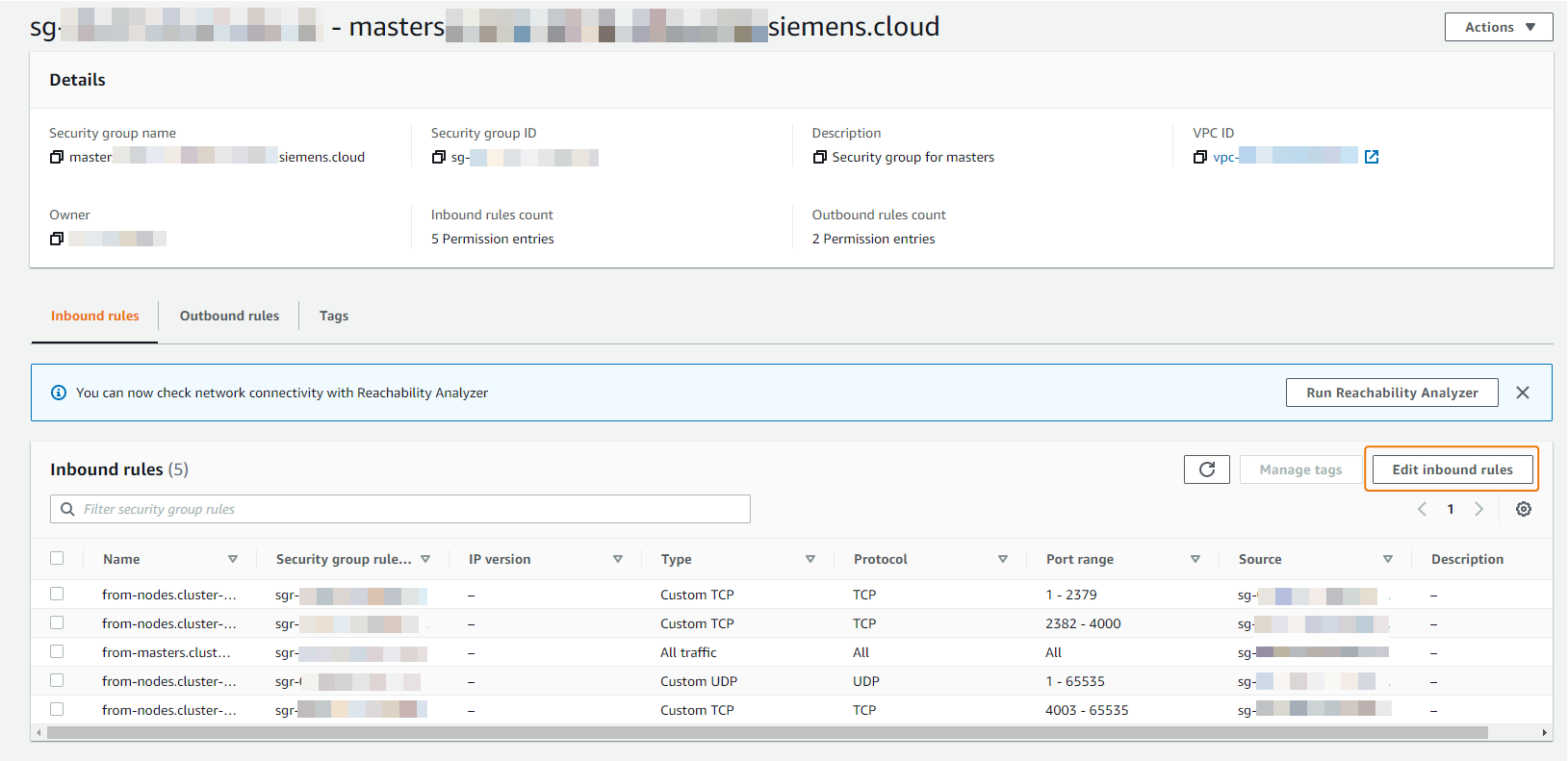
Open the security group ID of the master nodes of the created K8s cluster.
-
Under Inbound rules, click Edit inbound rules.
-
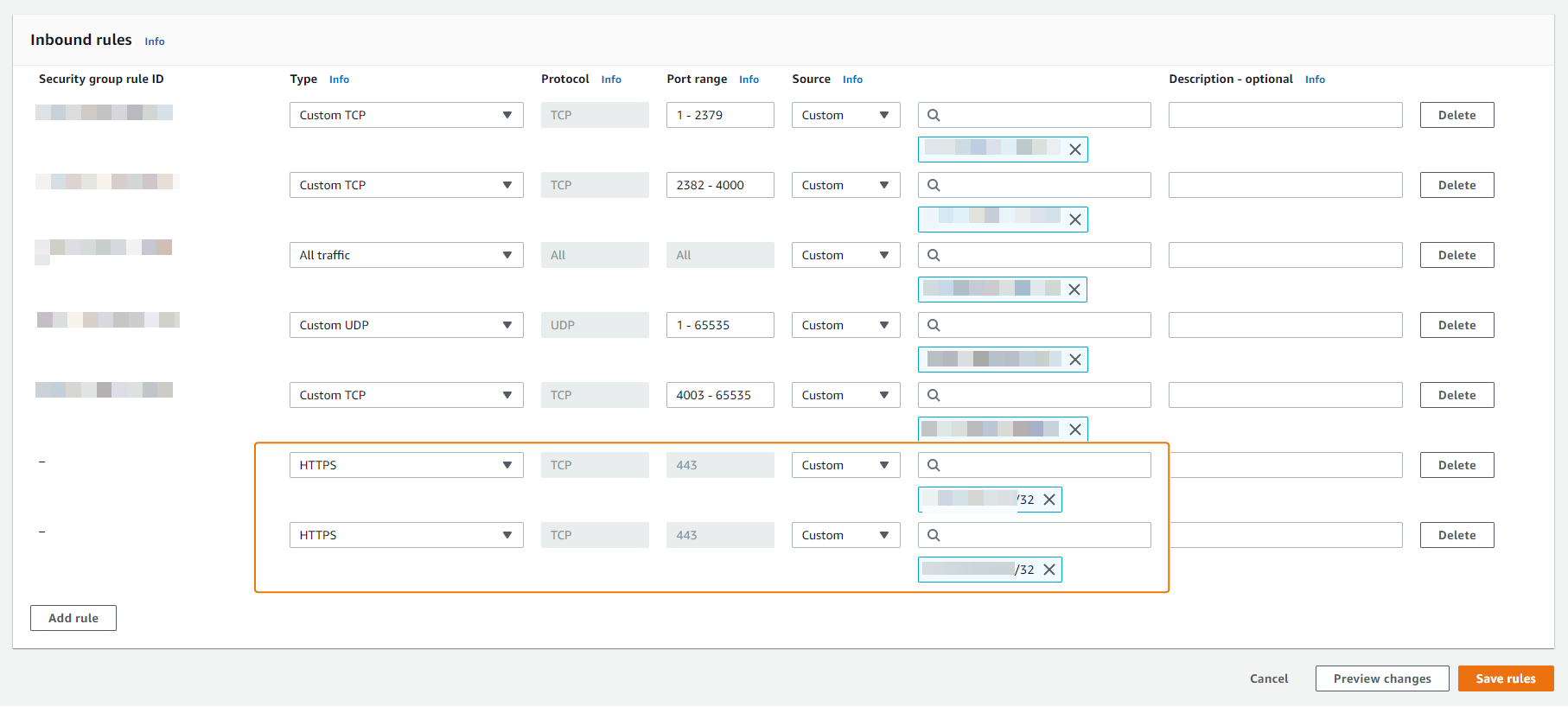
Click Add rule.
-
From the Type drop-down list, select HTTPS (port
443is selected by default). -
Under Source, enter your public IP address in CIDR format.
Note Use caution when opening the firewall to the public.
-
Click Add rule.
-
From the Type drop-down list, select HTTPS (port
443is selected by default). -
Under Source, enter your proxy IP address in CIDR format.
-
Click Save rules.
The security group rules are updated.
-
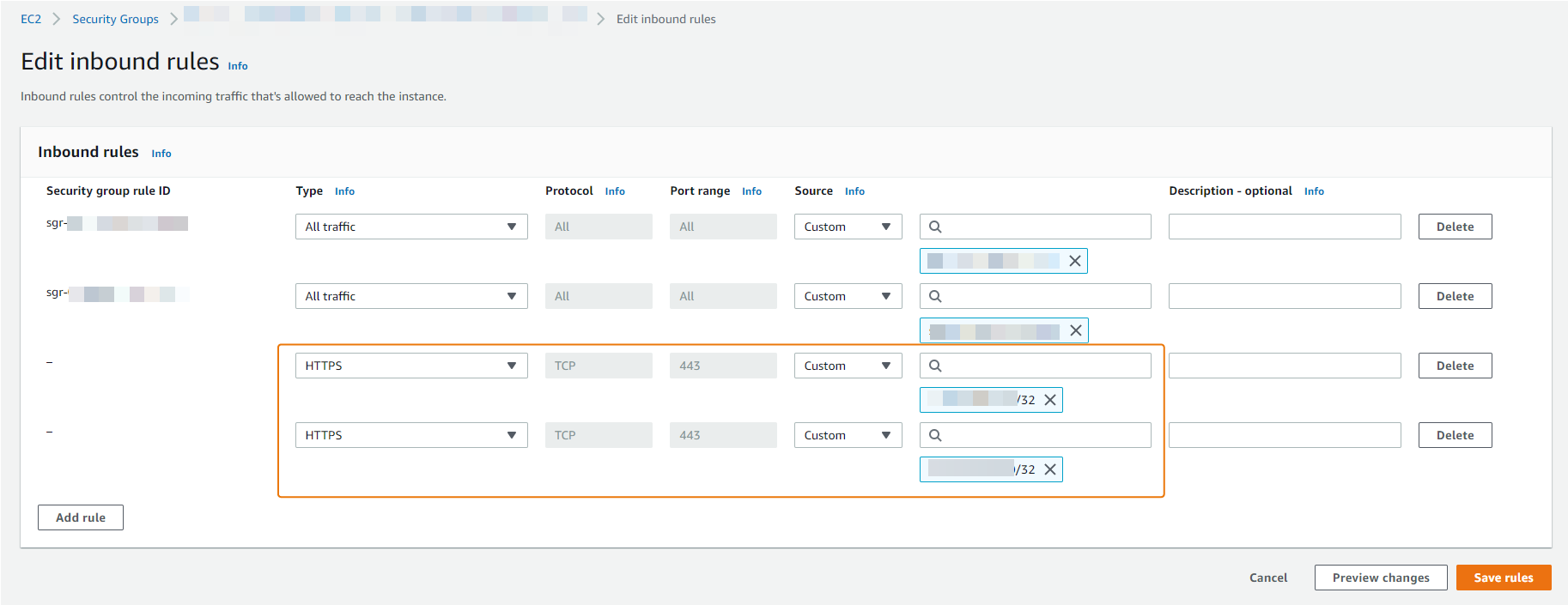
Repeat the above steps for the worker node security group of the created K8s cluster.
-
You can verify the steps by listing the nodes in the VM:
kubectl get nodesNote When you upgrade the cluster with kOps, the security groups are reset to the default settings.