User Management - Overview
It is possible to be registered in several IE Hub organizations.
In the User Management section, you get an overview of all registered users in the logged IE Hub organization and also a list of invited users who have not yet accepted the invitation to access this IE Hub organization.
You can invite new users to this IE Hub organization, delete users from the organization and manage roles assigned to the users.
The User Management screen is displayed as follows for example:
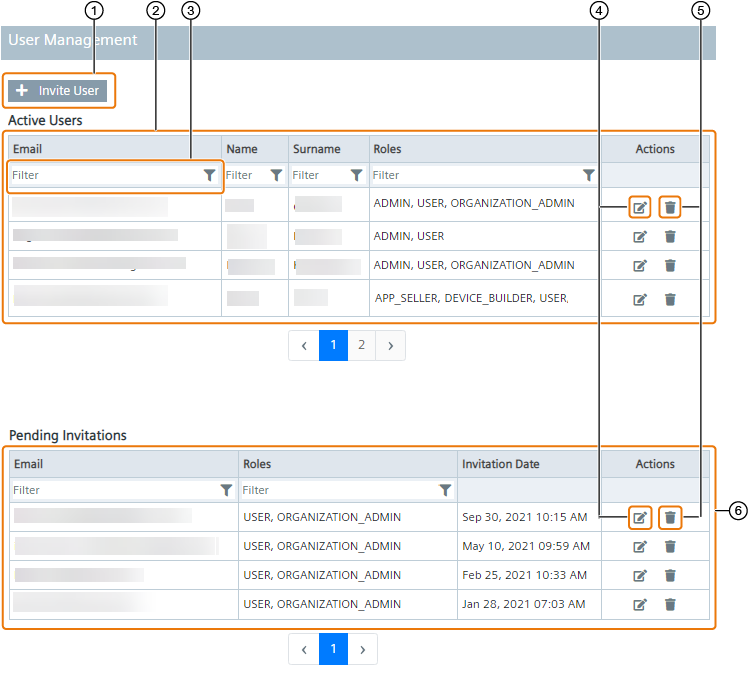
| ① | Invite new users to your IE Hub organization |
| ② | Registered users |
| ③ | Filter respective column |
| ④ | Manage user roles |
| ⑤ | Delete user |
| ⑥ | Pending users |
Note Filtering can also be combined with several columns.
Inviting new users, deleting users and managing user roles is only available for users with the ORGANIZATION_ADMIN role.