Creating a project
Procedure
-
Click
Create Project. TheCreate Projectscreen is displayed.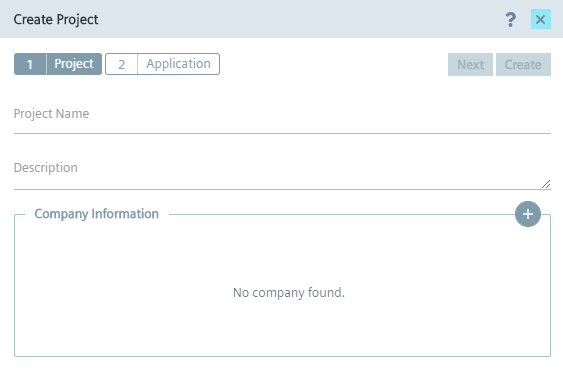
-
In the
Project Nameinput field, enter the name of the project. -
In the
Descriptioninput field, enter the description of the project. -
To add information about the company respectively the publisher, click the
 icon.
The
icon.
The Add Company Detailsscreen is displayed.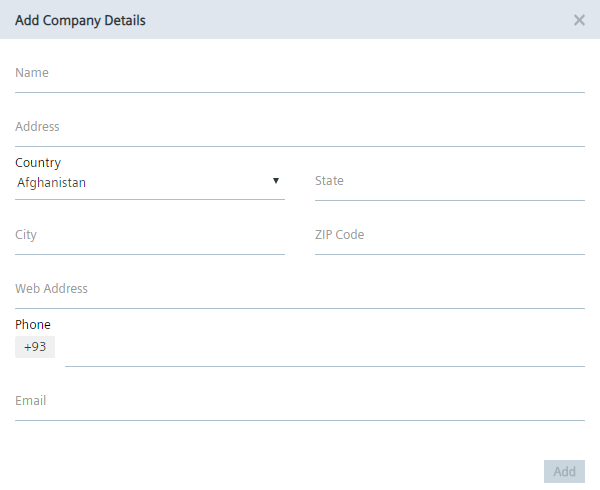
-
Enter the company specific information.
-
To complete the company information, click
Add -
Click
Create. The project is created.
Note Creating an app in the project If you want to directly create an app and add the app to the project, click
Nextinstead ofCreate. In the following screen, create the app according to theCreating an app ‑ Parameterssubsection.