Downloading the OVA packages
The OVA package is needed to setup the IEM Virtual in VMware Workstation or VMware ESXI.
Requirements
OVA packages are provided for two host environments:
- VMware Workstation Version 16 or later
- VMware ESXi Server Version 7.0 or later
Procedure
-
Sign into the Industrial Edge Hub.
-
In the navigation, click
Download Software. TheDownload Softwarescreen is displayed. -
In the
Initial Setup Toolstab, clickDownloadin theInitial Setup OVAsection.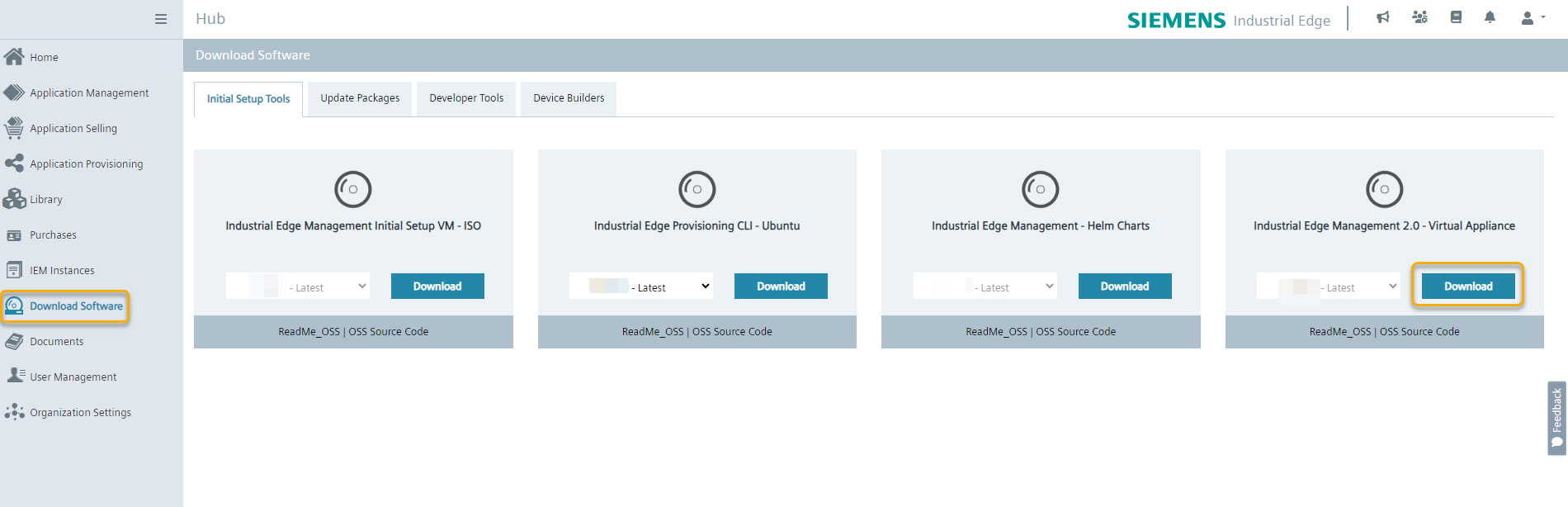
The OVA package for the IEM Virtual is downloaded to the standard download folder of your Internet browser.