Sign up
Requirement
- An Industrial Edge Management (IEM) has been set up according to the
Industrial Edge Management - Getting Startedmanual. - The VM allocated to the IEM is running.
Note Reboot or shutdown of the VM Only when the VM is running, the IEM is available. When you reboot or shutdown the VM in which the IEM is running, the IEM is unavailable.
Procedure
-
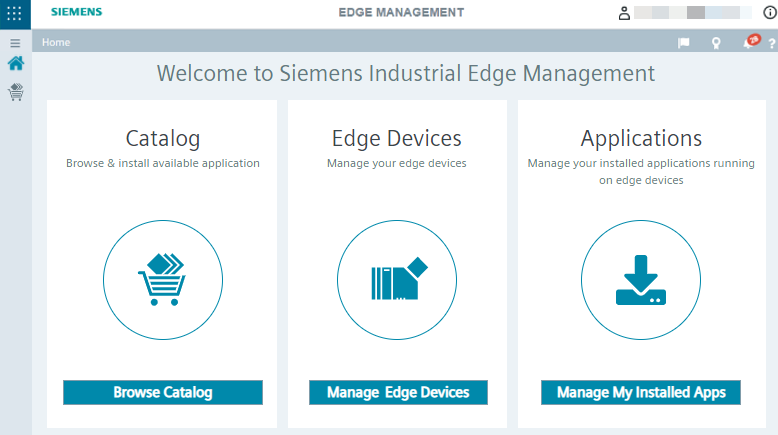
Open the IEM you want to sign up to by entering the IEM URL into an Internet browser. The login screen of the Management UI is displayed.
-
Register as a new user by clicking
Sign in. TheSign inscreen is displayed.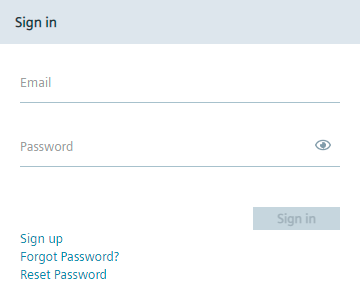
-
Click
Sign up. TheSign upscreen is displayed.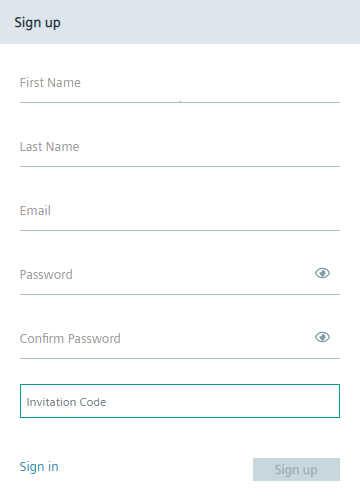
-
Enter the required information in the
Sign Upscreen. The password must meet the following criteria:- At least 8 characters
- At least 1 upper case letter
- At least 1 special character
- At least 1 number
The following characters are recognized as special characters: ! @ # $ % ^ & * . ( ) _ +
-
Click
Sign Up. Your account has been created and you will be redirected to theSign inscreen again. The admin of the IEM must now approve your user account request. -
Contact the admin of the IEM for approval of your user account request.
-
Wait until the admin of the IEM has approved your user account request. After the admin has approved your user account, the admin will contact you. Afterwards, you are able to log into the IEM respectively the Management UI.