Switching IE Hub organization
If you are registered in several IE Hub organizations, you can switch from 1 IE Hub organization to another one.
Procedure
-
Click the user icon in the top right corner.
-
Click
Switch Organization.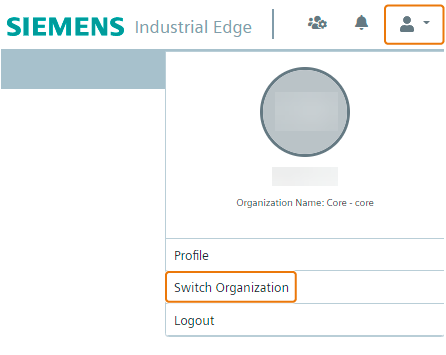 The
The Organization Selectionscreen is displayed.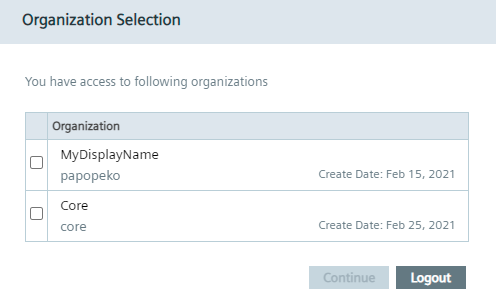
-
Select the check box of the IE Hub organization you want to switch to.
-
Click
Continue. TheConfirmation of delivery address and Export Control Clausescreen is displayed.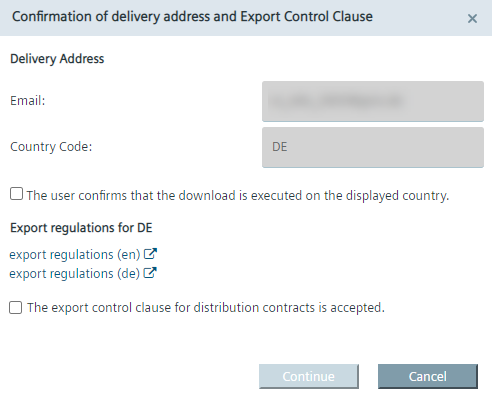 The available export regulations in the screen depend on your location, here for example Germany.
 -
If not done yet, read the export regulations.
-
Accept the export regulations by selecting the 2 check boxes.
-
Click
Continue.