Configure Capability
Overview
Device Builders can integrate Industrial Edge on their devices with minimal effort. Disabling unrequired services in the capability file and only using Runtime Container leads to an easier setup experience. Or, if required, enable the services in the capability file.
Devices with already existing services for Device Management can also run Industrial Edge Applications by configuring them in the capability file. The Device Builder can disable the pre-implemented function of the Industrial Edge Device and enable the required ones. The apiCapability field allows to implement the IED services. To implement the apiCapability functionality for the respective services, the associated services must be enabled.
Summary
This document will provide a step-by-step approach to how a Device Builder can integrate the dockerized edge solution and deploy/run the Industrial Edge Apps on any device. So this device becomes an Industrial Edge Device. It will also provide information about all the parameters which are available in the capabilities file, which is used to enable the required functionalities.
Deploying via Docker Compose
Prerequisites: Docker should be installed and running on the device OS. Docker compose can optionally be installed for more comfort while starting the Edge Runtime Container.
1. You may install the version of docker which is >= 18.09.1, from Install Docker Engine
    - apt install docker.io | docker-ce | docker-engine | moby-engine
2. You may optionally install the latest version of docker from Install Docker Compose
    - curl -L "https://github.com/docker/compose/releases/download/1.29.2/docker-compose-$(uname -s)-$(uname -m)" -o /usr/local/bin/docker-compose
    -chmod +x /usr/local/bin/docker-compose
Deploying via Docker Run
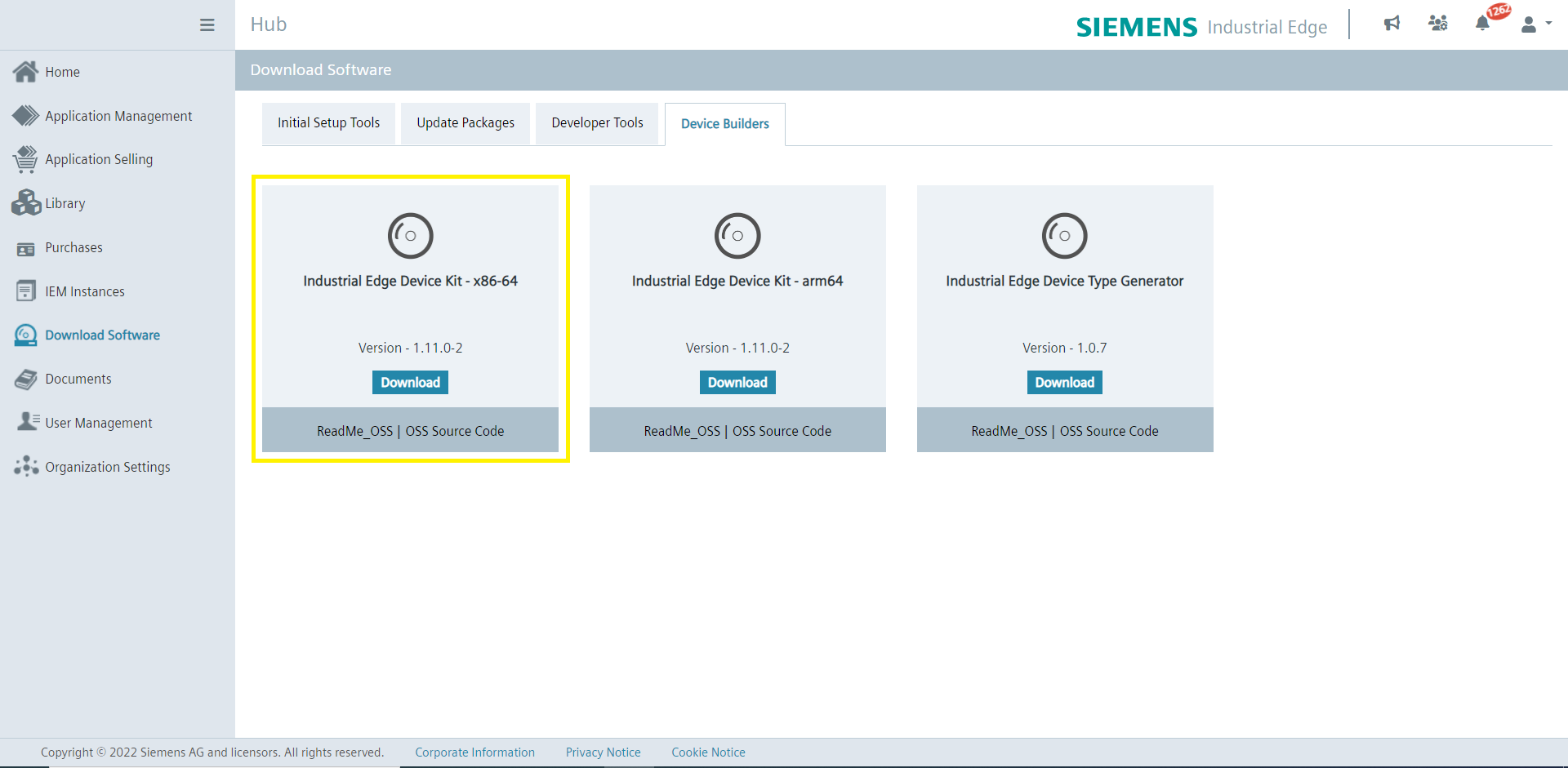
- Download the IERT-compose zip from IEHUB from IEDK which contains the following.
Note For using
edge-iot-core-container_1.10.0-4_amd64_docker_compose.yamlrename it todocker-compose.yml.
- Rename
capabilities_all_disabled.json filetocapabilities.jsonand copy the capabilities.json to /etc on host filesystem. - You may have to load the image tar file
- docker load -i
<image tar file>
- docker load -i
- Modify the below-listed parameter values
- HostIps : Supply it with the current IP Address of the system
- Run Industrial Edge Services
- docker-compose up -d
<YMLFile> - or to deploy via Docker Run Command
- docker-compose up -d
        - Run the downloaded image using proper arguments and environment variables
            docker run
            -itd
            --restart=always
            -e HostIps='x.x.x.x'
            -v /etc/ssl/certs/:/etc/ssl/certs/
            -v /var/lib/docker/volumes:/host-system/var/lib/docker/volumes
            -v /var/lib/docker/containers:/var/lib/docker/containers
            -v /var/run/docker.sock:/var/run/docker.sock
            -v /var/lib/docker/edge-iot-core/Database:/var/lib/redis
            -v /var/lib/docker/edge-iot-core/Data:/data
            -v /var/lib/docker/edge-iot-core/Data:/var/lib/docker/edge-iot-core/Data
            -v /var/lib/docker/edge-iot-core/apps:/etc/nginx/conf.d/apps
            -v /var/lib/docker/edge-iot-core/app_engine:/etc/app_engine
            -v /var/lib/docker/edge-iot-core/profile.d:/etc/profile.d/
            -v /var/run/devicemodel:/var/run/devicemodel
            -v /etc/pki/tls/certs/:/etc/pki/tls/certs/
            -v /etc/pki/tls/private/:/etc/pki/tls/private/
            -v /dev/log:/dev/log
            -v /var/log/journal:/host-system/var/log/journal:ro
            -v /etc/capabilities.json:/data/app_engine/Configuration/capabilities.json
            --publish 443:443
            --publish 9443:8443
            --pid=host
            --name edge-iot-core <image-name>
Note The
HostIpsfield in JSON file contains comma-separated IP addresses.
Capability configuration
This section defines the services that are needed to be enabled/ disabled according to the implementation of the Edge Services. Following are the IEDK services.
- host.edgemanagerservice
- host.ntpservice
- host.networkservice
- host.systemservice
- host.onboardservice
- host.resourcemanager
| IEDK Services Enabled | Impact on IED |
|---|---|
| No IEDK services are enabled | The following are the disabled functions:
If the API is used, it will return the error "503 ServiceNotImplemented". Network Device Kit Service:
System Device Kit Service:
Onboard Device Kit Service:
Edgemanager Service :
Resource manager Service :
|
|
|- With only edgemanager service enabled, where the device builders can use their own implementation, IED can successfully use the proxy functionality.
- In case the system has NGINX configured, the IED certificate updates will get reflected in the system NGINX.
- Applications can be installed from storage successfully. With the Device Builder implemented edgemanager service, it should list all offline app details for provided mounted paths.
- Support for onboarding from USB stick is provided.
- With only the resource manager service being enabled, the user can allocate available resources as required, e.g., CPU cores, network interfaces, or GPUs.
- host.edgemanagerservice
- host.ntpservice
- host.networkservice
- host.systemservice
- host.onboardservice
- host.resourcemanager
- Device Builder needs to implement all the services, so the IED can be used as a fully integrated Industrial Edge Device.
Note
- The IED is expected to show an unexpected behavior if the device kit services are enabled or disabled other than mentioned combinations.
- It is the stakeholder's responsibility to ensure that the capability file is not misconfigured.
Industrial Edge Management Compatibility
If the device capabilities are configured such that one of the following scenarios is true:
- host.systemservice service is disabled
- The apiCapability
GetResourceStatsof the host.systemservice service isfalse
Refer to the following IEDK & IEM Version Compatibility Matrix:
| IEDK version <= 1.13.0-2 | IEDK version >= 1.13.0-3 | |
|---|---|---|
| IEM version <= 1.12.3 | No compatibility issues | Creation of app install/update jobs on IEM will stop Must update to IEM version >= 1.12.4 |
| IEM version >= 1.12.4 | No compatibility issues | No compatibility issues |
Known Issues
- When the device is onboarded and also when IEM certificates are imported, the user needs to reload the docker daemon manually via SSH to update the IEM certificates.
- In case of edgemanager service disabled, the user needs to reload the docker daemon manually via SSH to update the IED certificates, when device is onboarded and also when IED certificates are imported.
- The Modular Device Integration offering does not support secure storage APIs.